Smart integration of Reduxi with FOX ESS G-Max C&I Hybrid Inverter cuts costs by up to 70% via Modbus TCP/IP
1. Pysical connection
A symbolic picture of the entire connection from the Reduxi controller to the Inverter is displayed below:
2. Communication settings for the FOX ESS G-Max
With the Fox ESS G-Max, the IP must be configured statically and the remote control must also be activated.
The settings can be made directly on the interface.
2.1 Setting the IP address
Please note that the IP address must be set to static.
- On the main page, press the Menu button in the upper right corner and then select network settings.
- In the following menu, enter the settings according to your local network and confirm them.
- Return to Home.
2.2 Activate Remote Control
- On the main page, you can set the control type in the upper left field.
- Activate the “remote” button in the central terminal tab.
Now you can proceed to the next step.
3. Add FOX ESS G-MAX C&I to the Reduxi system
After connecting the Reduxi and the FOX ESS G-Max, you can register it as a new device (Fox ESS G-Max).
3.1 Add device (Fox ESS G-Max)
First, log-in to the local Reduxi configurator and add a new device by clicking the 'Add device' button.
3.2 Select FOX ESS G-Max
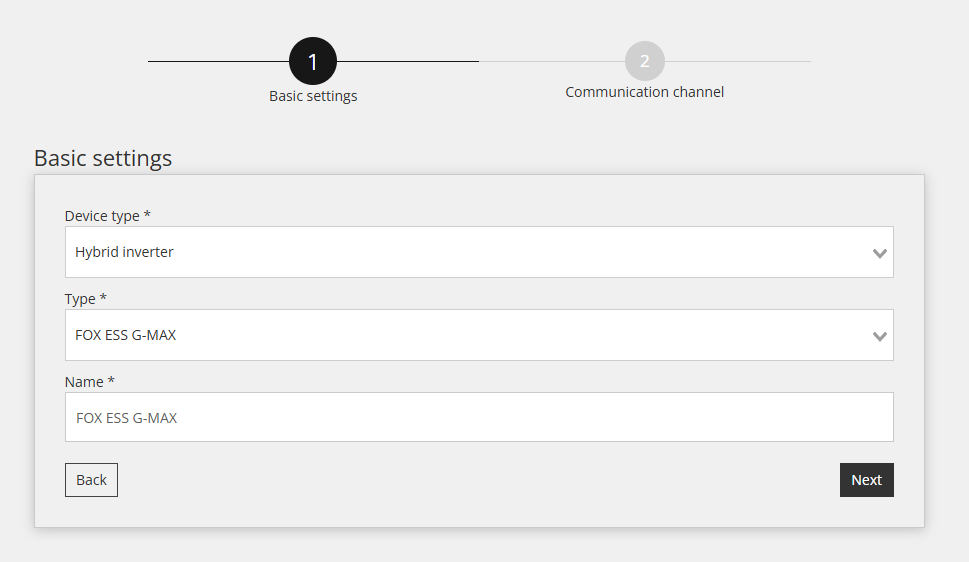
Within the first step, basic settings are defined:
- Select Device type: Hybrid Inverter,
- Select Type: FOX ESS G-Max,
- Name the device as you wish as an example: FOX ESS G-Max
3.3 Device Configuration for Communication Channel
The second step involves configuring the communication channel, which is essential for proper Modbus TCP/IP communication. In this step, the communication link between the Reduxi controller and the Fox ESS G-Max Inverter is established.
Settings for the Communication channel are displayed below:
- Connection: TCP/IP
- IP: Enter the IP address of the Fox ESS G-Max
- Port: 502
- Modbus unit ID: This is the same ID as set on the inverter (as default 1)
- Rated power of inverter: To be entered according to the inverter (as example 100 kW)
3.4 Test communication
Below all fields of the Communication channel mentioned in the previous step, there is a "Test Communication" button.
This button is used to verify whether the Modbus TCP/IP connection between the devices is functioning correctly.
Successful response (example):
Unsuccessful response (example):
3.5 Readings from Device
This section shows you how to check the device's measured values and whether it is communicating correctly. This can be done under "Devices /FOX ESS G-Max /Last Measurement."
For advanced control, integrate the device into the Optimization modes of the Reduxi system. Under Devices /FOX ESS G-Max in the Reduxi configurator, the control type must be set to AUTO so that commands for strategy will affect the battery.
To achieve maximal flexibility and energy cost reduction with respect to dynamic price and dynamic tariffs, please follow the instructions on how to define strategy at this link: Strategies for Reduxi controller.
After successfully adding the device, it can be monitored and controlled via the Reduxi application.